Auto repair keywords: what to target and where to use them
A working list of auto repair keywords by service, intent and area, and how to put them on your service pages and Google Business Profile.
Auto repair keywords are the words and phrases drivers type into Google when they need a shop: "brake repair," "check engine light," "oil change near me." The useful ones for a shop are specific to a service and a place, and each belongs on a page that answers that search. This guide groups them, shows where to put them and lists the mistakes that cause trouble.
A quick note on numbers. Where we quote search volumes below, they're Semrush estimates, November 2026, for the US. We haven't made up figures for the rest.
What are auto repair keywords, and how many do you need?
An auto repair keyword is any phrase a customer might use to find a shop, and you need one for each service you want more of. A small shop doesn't need hundreds. Ten to twenty well-chosen phrases, each matched to a page or a profile field, will do more than a spreadsheet of five hundred.
For context, "auto repair keywords" itself gets around 1,300 searches a month in the US (Semrush estimates, November 2026). Those searchers are mostly shop owners and marketers. The phrases your customers use are lower in volume each, but they come from people with a car at the curb.
Which keywords should you group by service?
Start with the jobs you do, because each is its own search. Write the phrase the way a customer says it, not the way your invoice does.
- Brakes: brake repair, brake pads and rotors, squeaking brakes, brake fluid flush.
- Oil change: oil change, synthetic oil change, oil change and tire rotation.
- Transmission: transmission repair, transmission fluid change, car slipping gears.
- Diagnostics: check engine light, engine diagnostic, car won't start.
- AC: car AC repair, AC not blowing cold, AC recharge.
Many of the best phrases are symptoms. Few people know they need a "rotor resurfacing." Plenty of them know their brakes are grinding. A page called "Grinding or squealing brakes" can catch the search the technical page misses.
Add the makes you work on where it's true. "Honda timing belt" and "Ford F-150 brake repair" are narrower, but the person typing one is ready to book.
Which keywords reflect what the customer wants right now?
Sort phrases by intent, because the same service is searched for in different moods.
- Near me: "auto repair near me," "brake shop near me." These are mostly answered by the map listing from your Google Business Profile, not by a page on your site.
- Emergency and tow: "car broke down," "mobile mechanic," "open now." Only use these if you really offer the service. A shop with no tow truck shouldn't build a page around towing.
- Price and cost: "how much does a brake job cost," "oil change price." People ask this before they call. A page that gives a starting price and says what changes it will often beat a competitor that stays silent.
- Trust: "honest mechanic," "ASE certified mechanic." Use these only if they're true. If you have ASE-certified technicians, say so on the page and let reviews do the rest.
How should you use area keywords?
Add the town or neighborhood to pages where it helps, and only for places you really serve. "Brake repair in Plano" on a page about your Plano shop is useful. A page for each of twenty suburbs you've never worked in is not.
A good area page names streets or landmarks a local would know, mentions what customers there drive or commute through, and shows the shop's real address. If you could swap the town name and the page would read the same, it isn't helping anyone.
Google also has its own guidance on how local results are chosen. It says they're based mainly on relevance, distance and prominence, which is why complete information, the right location and good reviews all matter (Google Business Profile Help).
Where do the keywords go on your website?
Put each keyword where a reader expects to find it, once, in a natural sentence. For a page about brake repair:
- Title and main heading: "Brake repair in [your town]," in words a customer would use.
- First paragraph: say what you fix, for which cars, and how to book.
- One subheading: a question like "How much does a brake job cost?"
- The rest of the page: describe the job in plain words, including what you check, how long it takes and your warranty.
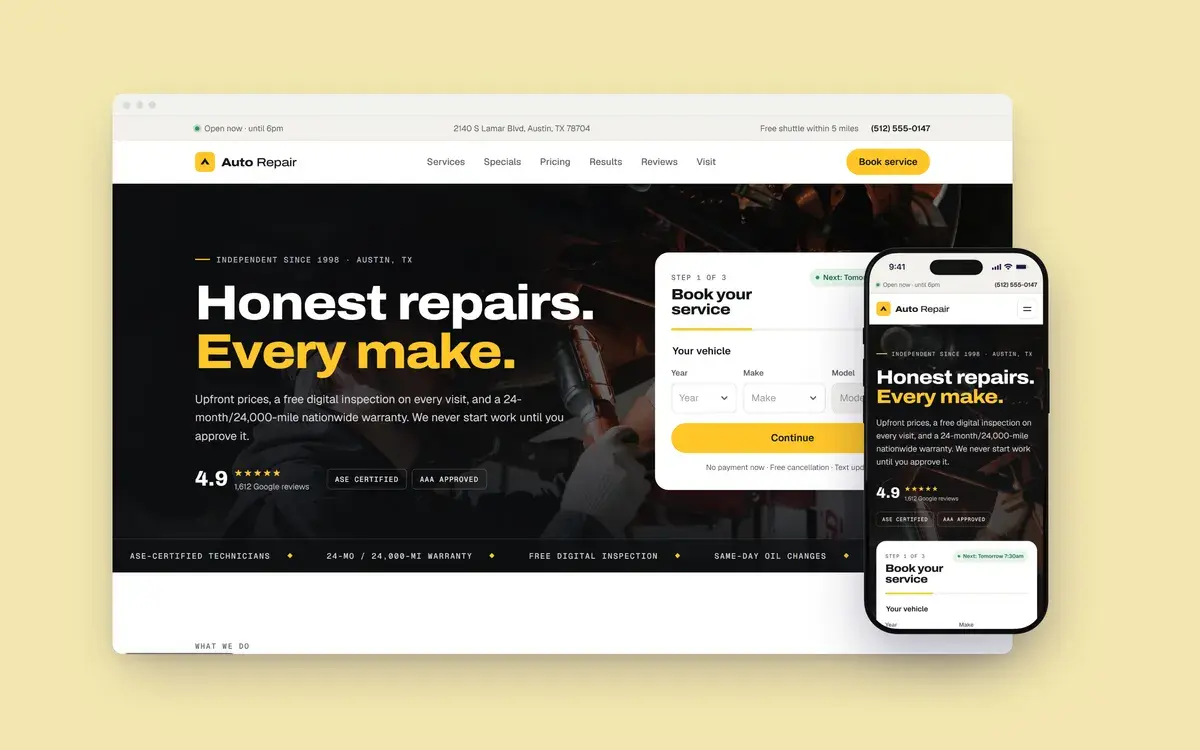
Give every major service its own page. One page headed "Services" with a list can't match "transmission fluid change" as well as a page about exactly that. Our auto repair shop page shows how we organize them, and mechanics and body shops each have their own page for the way those customers search.
How do keywords work on your Google Business Profile?
Your profile uses categories, services and honest information instead of keyword phrases. Google's guidance on categories is to use as few as possible, pick the most specific one that fits, and not use categories "solely as keywords" (Google Business Profile Help).
In practice:
- Choose a primary category that fits, such as car repair and maintenance service, and add a secondary one only for a real, separate part of the business.
- List your services with a short plain description for each.
- Keep hours, address and phone number the same as on your website.
- Photos and reviews matter too. Ask customers once the car runs well, and answer each review. We cover the setup in Google Business Profile.
What should you never do with auto repair keywords?
Don't stuff and don't fake. Both are the quickest way to lose what you've built.
- Stuffing the business name. Calling your profile "Mike's Auto Repair Brakes Oil Change Near Me" breaks Google's naming rules. Use the name that's on your sign. Google says a name shouldn't include service descriptions or location details.
- Fake locations. P.O. boxes and virtual offices aren't eligible for a profile, and Google's guidance says a service area shouldn't stretch much beyond about two hours' drive from your base (Google Business Profile Help). Listing a fake shop in the next city is a way to get suspended, not to get calls.
- Repeating the phrase. "Our brake repair shop offers brake repair services for brake repair customers" reads badly, and customers notice. Say it once, then say something useful.
- Copying pages. Twenty town pages with only the town changed add nothing for readers, and Google's spam policies treat mass-produced pages like that as a problem (Google Search Central).
How does this connect to the rest of your marketing?
Keywords are a starting point, not the whole job. Searches for broader help show how much owners want it: "seo for auto repair shops" gets about 880 searches a month, "automotive search engine optimization" about 880, and "auto repair marketing" about 1,300 (Semrush estimates, November 2026). Behind all of them is the same work: complete pages, a complete profile and real reviews.
FAQ
What's the best keyword for an auto repair shop?
There isn't one. The best keyword is the one that matches a service you want more of, in the town you serve, like "transmission repair" plus your city. Choose a few per service and match each to a page.
How often should I use my keyword on a page?
Use it where it reads naturally: the title, the main heading and the first paragraph, plus once or twice more as you describe the job. If you've started counting repeats, stop and rewrite the sentence.
Do I need a blog to rank for auto repair keywords?
No. Service pages and a complete Google Business Profile come first. A blog can help with questions customers ask, like what a check engine light means, but it's an add-on.
Can I add keywords to my Google Business Profile name?
No. Google asks you to use your real-world business name and says not to add service descriptions or location details. Put the keywords on your website instead.
Can Cromplex do this for my shop?
Yes. We build auto repair websites and set up local search and your profile, and you can see our local SEO service or contact us.