Best roofing websites: what the good ones have in common
The best roofing websites get a worried homeowner to a booked inspection fast. Here is what they share, with a checklist you can run on your own site.
A roofing website has one job: take a homeowner with a stained ceiling or a hail-damaged roof and get them to a booked inspection in a few taps. The best roofing websites don't win on animation or stock photos. They win with clear service pages, proof you can see at a glance, and a quote form someone can fill in on a phone with wet hands.
Two kinds of people search "roofing website design" and "best roofing websites": roofers redoing their own site, and roofers comparing agencies. Semrush estimates (November 2026) put "best roofing websites" at about 480 searches a month in the US. We won't list or screenshot other companies' sites. What follows is what the good ones share, shown with two sites we built ourselves.
What do the best roofing websites have in common?
Eight things, mostly. They're cheap to do and easy to get wrong.
A first screen that says what, where and how
Think about the person holding the phone. There's a tarp on the roof, a stain spreading on the ceiling, and three roofers open in three tabs. They'll pick one in seconds. So the top of your site has to say "roof repair and replacement in Denver", show a rating, and offer exactly one button: book an inspection, or call.
A storm damage page
Hail changes the customer. This one has an adjuster on the way and a deadline on the claim, and a slow leak comes with neither. Give them their own page for storm and hail repair, in their words: what to photograph, what an inspection covers, whether you'll help with the claims paperwork. Searches like "hail damage roof repair" can land there, and the page answers what they're asking.
Financing, said plainly
Roofs cost a lot. For many households a new one is the biggest repair bill they'll see, so if you offer financing, say so near the top and again on the replacement page. "Contact us for details" helps nobody. And if you don't offer financing, don't dance around it. Leave it out.
Before and after photos from real jobs
Finished roofs sell roofing. Use your own photos and tag each with a town or neighborhood. Shoot the same roof from the same angle before and after, so the change is obvious. Stock photos of grinning crews are easy to spot, and people trust you less for them.
An estimate form with few fields
Four things: name, phone, the roof's address, and a "what's going on?" box. That's enough. Every extra field loses a few people, and an email address only earns its place if you'll actually use it. Under the button, tell people when you'll call back. Then call back when you said you would.
License and insurance where people can see them
Storm chasers have burned plenty of homeowners, so many visitors are quietly wondering whether you're the real thing. Answer it on the home page and next to the form: licensed, insured, and your license number if your state issues one. Rules differ by state, so check yours.
Service areas that are specific
"Serving the metro area" doesn't tell anyone anything. Name the towns you really work in. Give the biggest a page of their own, with local detail like how old the houses are, the usual roof type and the weather that hits there. Google's guidance for businesses that travel to customers is that service areas are set by city, postal code or similar areas, with a limit of 20, so your site and your profile should tell the same story.
Speed on a phone
Roofing searches happen on phones. A homepage that takes six seconds to load on a cellular connection loses people before they see your number. Compressed photos, few scripts and a tap-to-call button in the header handle most of it. There's more in our SEO and performance basics.
How do these show up in a real roofing site?
We build research projects: working websites designed and built in-house for fictional businesses, so we can show our thinking without pretending they're clients. Two are roofers.
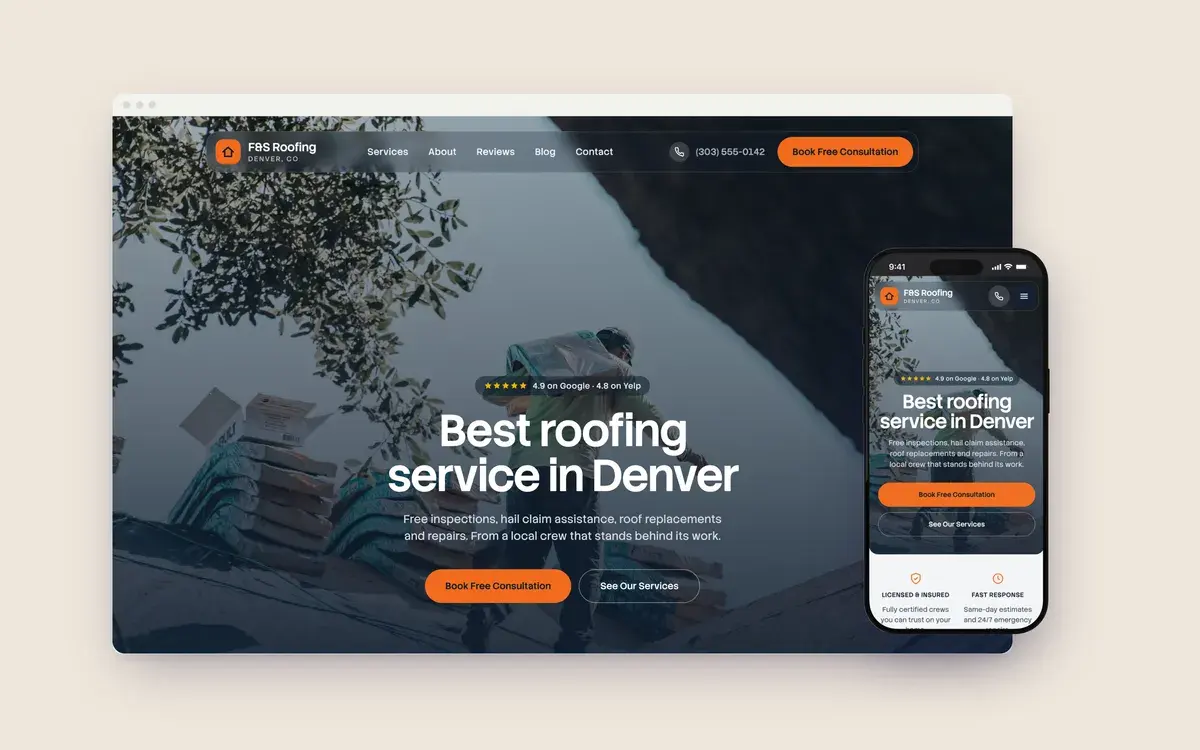
F&S Roofing is a research project for a Denver roofer. Its first screen says what F&S does and that it serves Denver, with the rating right under the headline. The "Book Free Consultation" button sits in the header, the hero and the closing banner, and the phone number is a tap away. Reviews and a four-step process come before the final ask. It's a good illustration of the first-screen and booking points above. It has no dedicated storm page, a gap we'd fill on a real roofer's site.
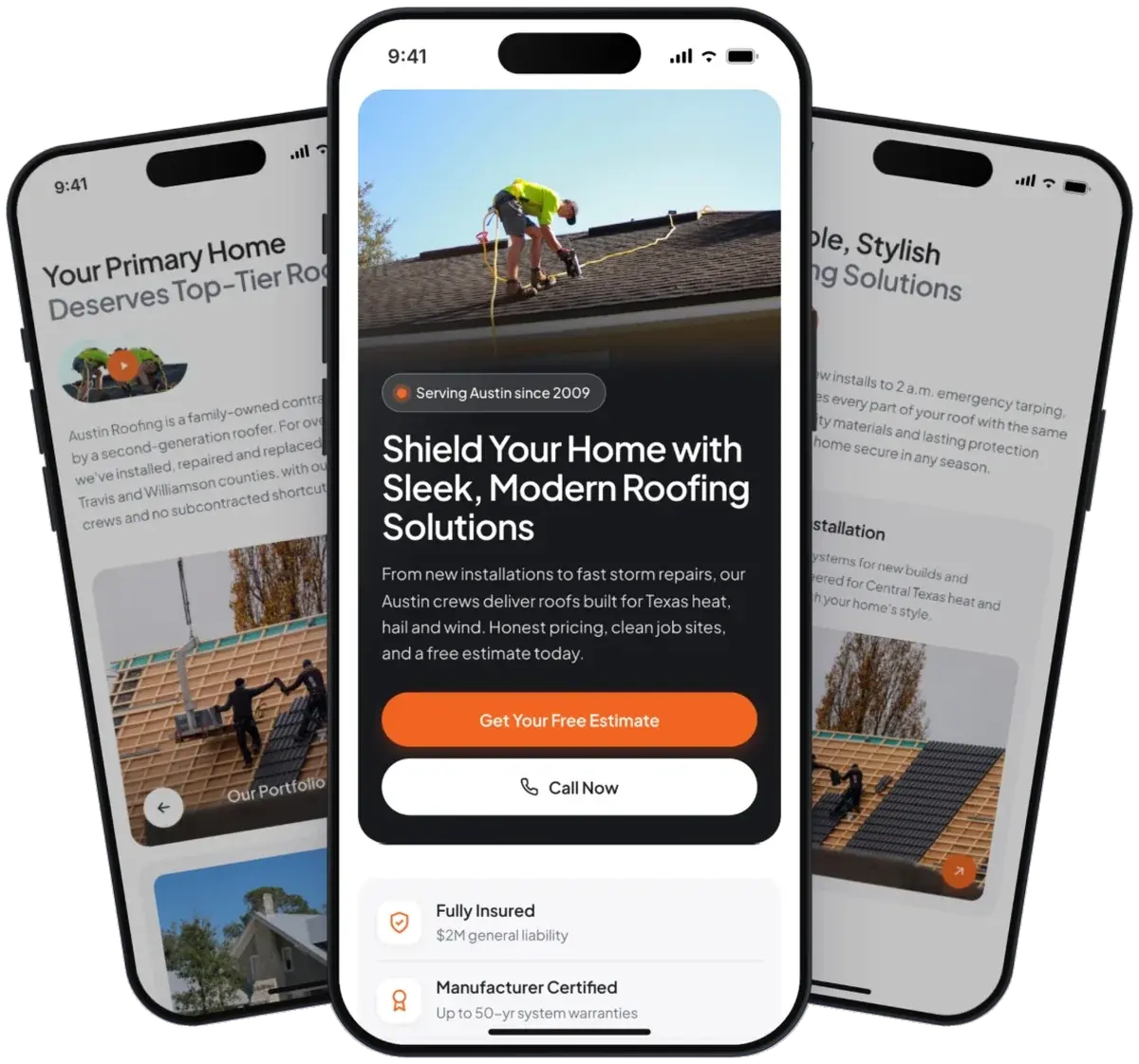
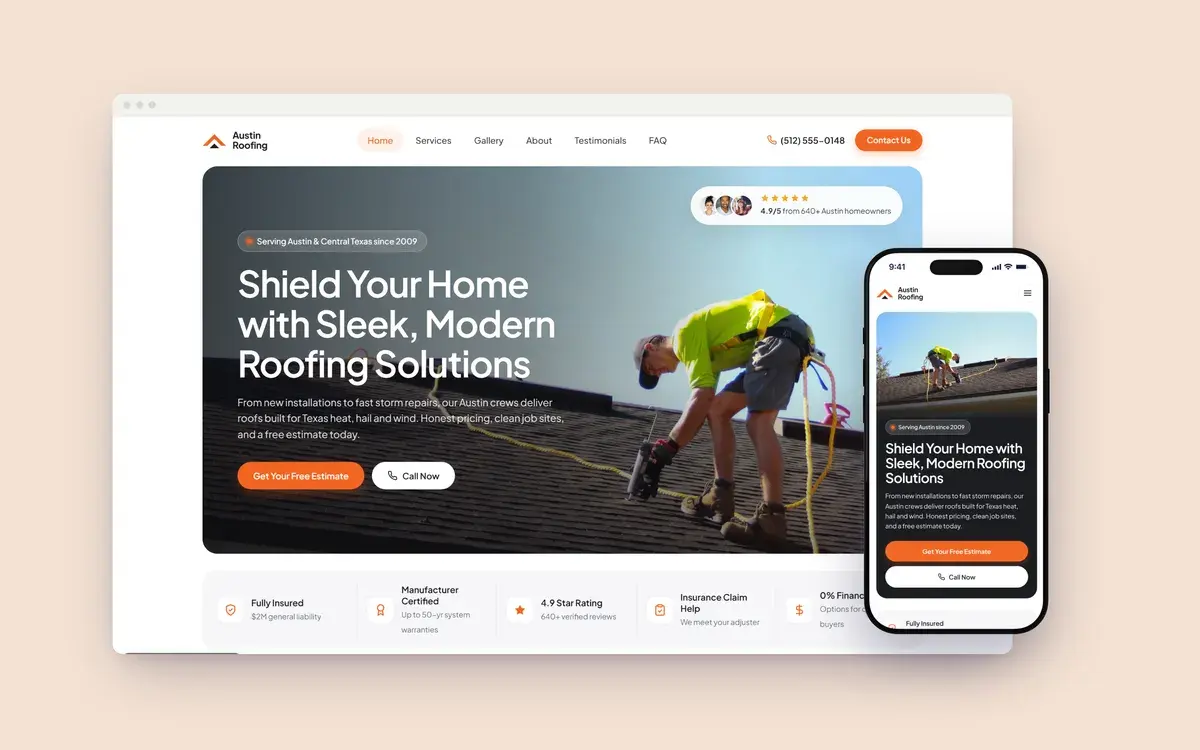
Austin Roofing is a research project for a Central Texas roofer. Just under the hero rating, a trust strip covers insurance, certification, financing and claims help, the things a skeptical homeowner looks for first. A materials section lays shingles, metal and tile side by side, and a gallery shows finished roofs. Local testimonials come right before the booking form. Storm and hail repair is listed as a service, though it would do better with its own page.
Neither is a real company, and the reviews are placeholders for the layout. We list what each one does and doesn't have so you can judge for yourself.
What should a roofing website checklist include?
Run this on your own site, on your phone, ideally with someone who has never seen it.
Grab your phone and open your site. Does the first screen name your trade, your city and one action? Can you see a call button without scrolling, and does it dial when you tap it? Does the quote form have four fields or fewer, and does it say when you'll reply? Are license and insurance on the home page? Do storm and hail repair and replacement each have their own page, and is financing explained if you offer it? Is the gallery full of your own before and after photos? Is every town you serve named, with the biggest ones on their own pages, and are the reviews real, recent and tied to a first name and a town? Finally, load the site on a cellular connection. A few seconds is the target.
That's ten checks. If you miss four or more, start there. Our roofers page covers how we build these sites, and small business website design is the usual route. Most small business sites are ready in 7 days, at one fixed price quoted before any work starts.
FAQ
How many pages does a roofing website need? A home page, a repair page, a replacement page, a storm damage page and a contact page. Then add a page for each major town you serve, a gallery, and an about page with real faces.
Do roofing websites need a blog? Not at first. Service and area pages do more. Add articles once those exist and you have something specific to say, like how a local hailstorm is handled.
Should the phone number or the form come first? Both, in the header. Some homeowners want to talk, others don't want a call. Give each one a path.