How to optimize a Google Business Profile in 2026
How to optimize a Google Business Profile in 2026: what to fill in, where keywords belong, and why stuffing your business name can get you suspended.
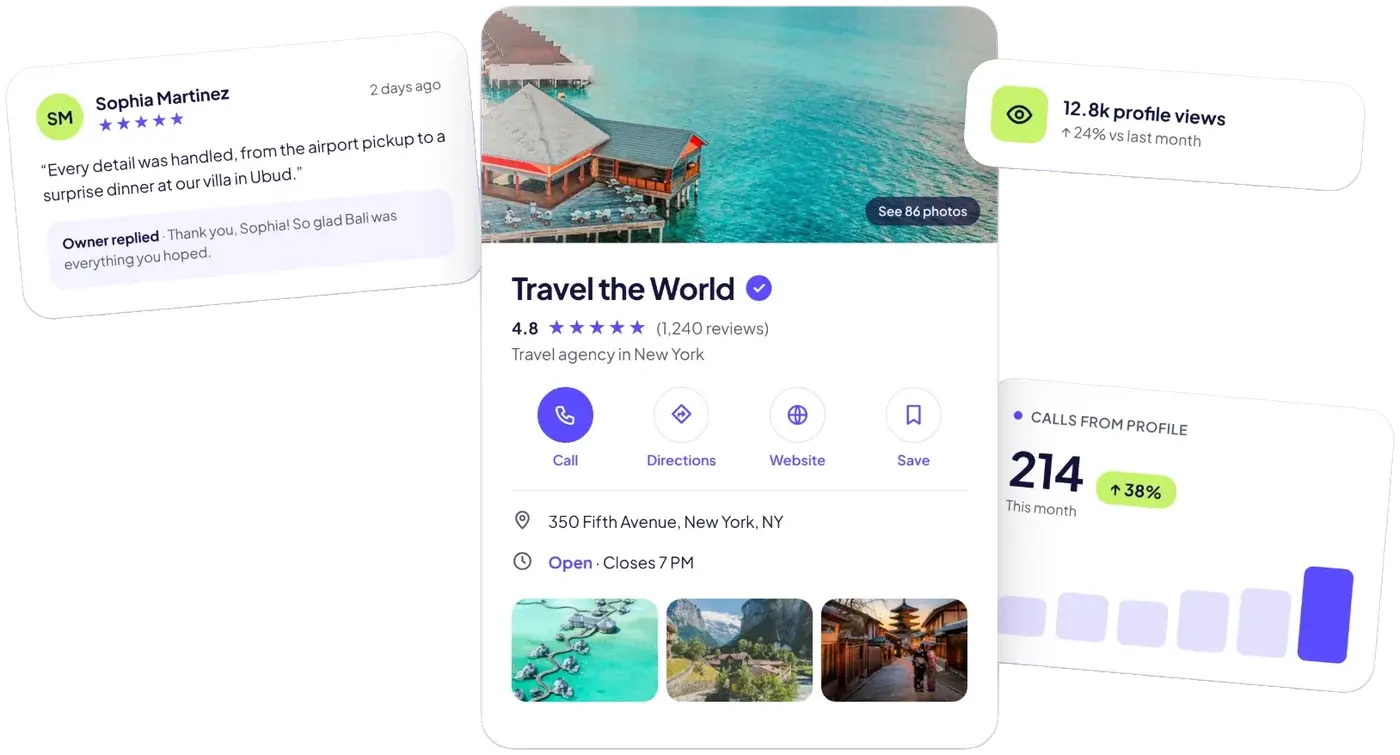
How do you optimize a Google Business Profile in 2026? Fill in every field with accurate information, choose the most specific categories, list your services, add photos of real work, and respond to reviews. Search terms go in the parts of the profile meant for describing what you do, never in the business name. Google's guidelines for representing your business are the rulebook, so we'll stick to them.
What should you set up first?
Start with the things Google uses to decide what you are and where you operate.
Business name. Use your real-world name, the one on your sign, truck, invoices and website. More on this below.
Categories. Google's guidelines say to choose the fewest categories needed to describe your core business, and to make them as specific as possible. Pick the main one carefully: "Plumber" and "Water heater installation service" are different signals. Choose categories that complete the sentence "This business IS a...", not "This business HAS a...".
Address and service areas. If customers visit you, show your address. If you go to them, you can hide it and list service areas. Our guide to a profile without an address covers the rules.
Hours, phone and website. Keep them exact. If you take emergency calls after hours, say so in the hours you list, not just in the description.
Where do keywords go on a Google Business Profile?
Here's the straight answer to "how to add keywords to a Google Business Profile": there's no keyword field. You use the words customers use inside the parts that already exist:
Categories are the clearest place to say what you are. In Services, list each job by a plain name, like "Tankless water heater installation" or "Brake pad replacement". The description gets two or three honest paragraphs on what you do, where, and for whom. Google says to describe services, products, mission and history, not promotions or prices, and no links of any type are allowed. Posts and photo captions are where you write about real jobs in normal language. Reviews you can't write for customers, but you can reply to them naturally.
Write for the person who types "AC repair near me". If a sentence is awkward because you forced a phrase into it, rewrite it.
Can you put keywords in your business name?
No. This is the most common mistake we see in profiles, and it's the one most likely to cause trouble. Google's guidelines say your name should match what you use in the real world, and they prohibit extra content such as service descriptions, location details, taglines, phone numbers and URLs. They also say adding unnecessary information could result in suspension of your Business Profile.
So "Mike's Plumbing" stays "Mike's Plumbing", not "Mike's Plumbing | 24 Hour Emergency Plumber Houston". The second version might look like it helps. It's what Google's guidelines are written against.
How do you use photos, services and posts?
Start with photos. Show the truck, the crew, finished work, the shop front, the inside of the bay. A roofer's before-and-after of a storm repair tells a customer more than a stock photo of a house. Upload new ones now and then rather than all at once.
Fill in the services list too. Customers read it to check you do the thing they need, such as "gutter cleaning" or "ceramic coating", before they call.
Posts can be offers, finished jobs or seasonal reminders. Keep them short and specific, and don't use them to repeat the same keyword.
How should you handle reviews?
Ask happy customers for a review while the job is fresh, ideally on the day, with a direct link. Reply to every review in your own voice, good or bad. A calm, specific reply to a bad review says more about you than the star rating does. Don't offer money or gifts in exchange for reviews, and don't write your own.
Does your website matter for your profile?
Yes. Your profile points to your website, and customers who click through should find the same business: same name, address, phone number and the services you listed. A page for each main service and each area you serve gives customers something to confirm what the profile says. This is where local SEO work and profile work meet. If you'd like us to set up or tidy your profile, see our Google Business Profile service.
A quick checklist
Before you call the profile done, run through nine things. The name matches your real-world name, with no extras. There is one specific main category, plus only the extras you truly need. The address is shown, or hidden with service areas listed. Phone, hours and website link are correct. Every service is listed by name. The description is plain, with no links and no promotions. The photos are fresh and real, every review has an answer, and your website pages match the profile.
FAQ
How often should I update my Google Business Profile? Whenever something changes, such as hours or services, and add photos or posts regularly. Google's guidelines don't set a schedule.
Can I add keywords to my business description? Use the words customers use, naturally. Keep it factual and avoid links and promotions.
Is Google Business Profile optimization free? Setting up and editing your own profile costs nothing. Paying someone is for the time and know-how, not for access.
How long until I see a difference? It depends on your competition and on how much was wrong to begin with. A wrong category or a missing service can matter quickly once fixed. Reviews and photos take longer to add up.